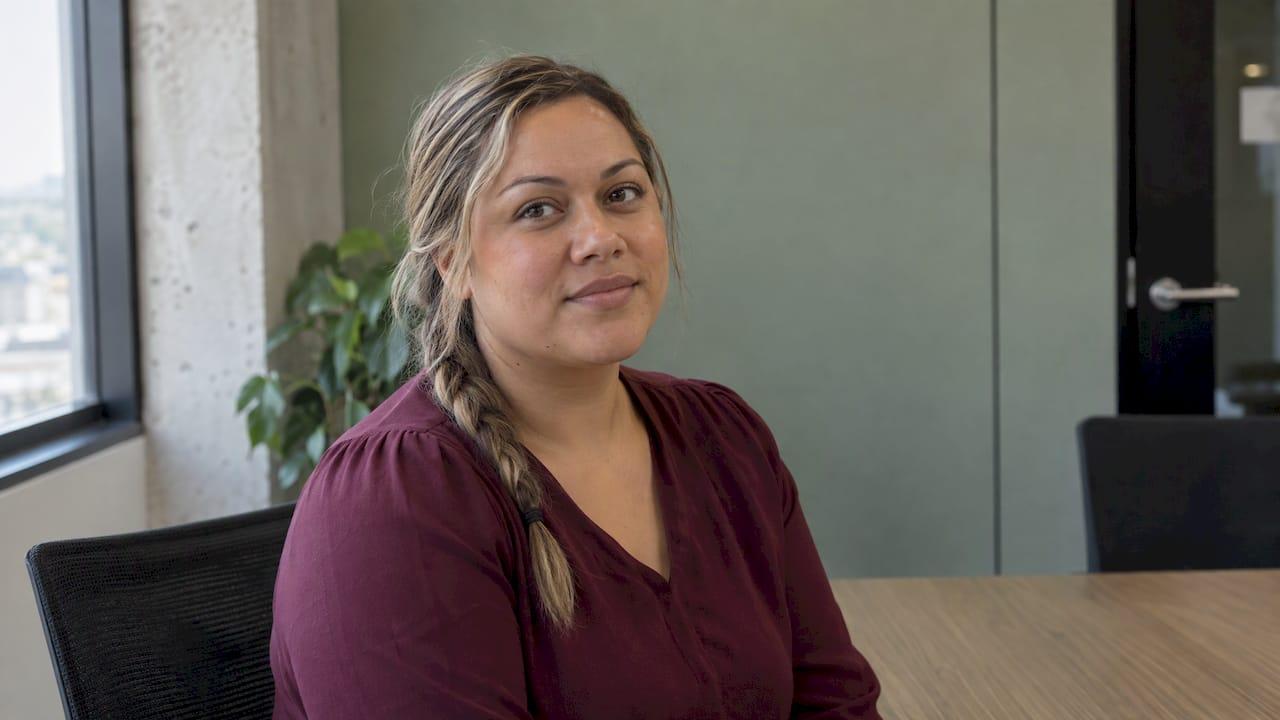
Good team headshots are decided before the photographer arrives. The brief, the location, the schedule, the staff briefing and the delivery agreement do more for the result than any camera setting. If you settle those five things, the shoot itself is the easy part. If you skip them, you get uneven lighting, missing people and a pile of files nobody can use.
This guide is for New Zealand business owners, office managers and marketing leads organising headshots for a team of anything from three to a few dozen. It walks through each decision in order. When you are ready to book, we shoot headshots in Auckland, with packages that start from NZ$345.
TL;DR
- Write a one-page brief first: where the photos will be used, who is in them, and the single look you want across the whole team.
- Choose studio or on-location based on your headcount and how much working time you can afford to lose, then fix one background and one lighting style for everyone.
- Get written consent from staff for each specific use of their photo, as New Zealand privacy law expects.
- Schedule short, staggered slots and brief people two weeks ahead on clothing, grooming and what to expect.
- Agree selection, retouching limits, file sizes and delivery before the day, not after.
Table of Contents
- Decide what the photos are for
- Choose between studio and on-location
- Settle consent and privacy before the day
- Write a simple style guide
- Build the schedule
- Prepare your team
- Fun ideas that still look professional
- Agree selection, retouching and delivery
- What team headshots cost
- Book your team headshot day
- Our perspective on team headshots
- FAQ
- Sources
Decide what the photos are for
Start with three questions, because every later choice follows from the answers.
Where will the photos appear? A website team page, LinkedIn profiles, email signatures, proposals, tender documents, staff passes and press releases all crop images differently. A website page often uses a square or portrait crop, while LinkedIn shows a small circle. If you know the uses, your photographer can leave enough room around the head and shoulders for every crop. Our LinkedIn headshot guide covers the profile-photo side in more detail.

Who is in the set? Count everyone who should appear: current staff, directors, part-timers, remote workers and people starting next month. Late additions are the most common reason a team page ends up with mismatched photos, so decide now how you will handle new starters, such as a short catch-up session once or twice a year.
What impression should it give? A law firm, a physio clinic and a creative agency want different things. Write down three words for the feel you want, such as approachable, capable and calm, and share them with the photographer. If your team is a law firm, the headshots also need to sit alongside the rest of your brand, and graphic design for law firms shows how imagery and design work together on a practice's site.
Choose between studio and on-location
This is the biggest practical decision. Both can produce consistent results; they suit different teams.
| Studio session | On-location at your office | |
|---|---|---|
| Best for | Teams happy to travel, or several offices | Teams who want minimal disruption |
| Staff time away | Travel plus the session | Walk to a meeting room |
| Look | Controlled, identical backdrop | Backdrop built in your space, or a real setting |
| Setup | None on your side | A quiet room with space, power and a door |
| Late additions | Easy to book a single slot | Needs a repeat visit |
On-location is usually the better fit for a team, because people step out of their desk for a few minutes and return to work. If you choose it, you need a room that is quiet, has enough depth for the photographer to stand back from the subject, and can be closed off so people are not photographed with colleagues watching. A window with soft daylight helps. We explain the trade-offs in choosing on-location headshots for your team.
If your premises are cramped or noisy, a studio gives you full control of lighting and background. We offer packages for both on-location and studio sessions.
For a larger office shoot, our Half day Office photoshoot is NZ$2,300 and is designed for teams who want the photographer in the building.
Settle consent and privacy before the day
A staff photo is personal information. RSM New Zealand explains that employee photos fall under the Privacy Act 2020, that employees should know exactly how their image will be used, and that a photo taken for internal use should not later be repurposed for public marketing without fresh permission.
In practice, that means a short consent form or email that lists:
- the uses (website, LinkedIn, brochures, social media, internal directory);
- who can approve new uses;
- what happens when someone leaves, such as removing the photo from the website within an agreed time;
- that taking part is the person's choice, with a sensible alternative for anyone who prefers not to be photographed.
That last point matters for tone as much as law. People who feel pressured arrive tense, and tension shows on camera. Our guide to style standards and privacy rules for New Zealand corporate headshots goes further into what to put in writing.
Write a simple style guide
Consistency is what makes separate photos look like one team. Decide these points once and apply them to everyone:
- Background. Plain neutral grey, white, a softly blurred office, or an outdoor setting. Pick one.
- Framing. Head and shoulders, or head to mid-chest. Say whether people face the camera squarely or at a slight angle.
- Lighting. Soft and even for approachable, or more contrasty for a bolder look. The photographer sets this up once and keeps it the same all day.
- Colour treatment. Natural colour is safest. Avoid heavy filters that date quickly.
- Expression. Warm and relaxed usually works better than a fixed smile. Let the photographer guide this.
- Crop and file shape. Request a consistent crop so the team page grid lines up.
A one-page document with these six points, shared with staff and photographer, prevents most arguments later. If you want a feel for how different looks come out, browse our headshot portfolio together as a team and pick the one you all agree on.
Build the schedule
A team headshot day runs smoothly on short, staggered appointments rather than a loose "come when you can" arrangement. The arithmetic is simple, and you can do it yourself:
Time per person × headcount + setup + buffer = session length.

Worked example: for 20 people at 10 minutes each, that is 200 minutes of shooting. Add 30 minutes for setup and another 20 to 30 for lateness and changeovers, and you need roughly four hours. For 8 people at 10 minutes each, that is 80 minutes plus setup, so a morning is more than enough. Your photographer will advise on the right time per person for your chosen style, since a relaxed, conversational session needs a little longer than a quick record shot.
Tips that save the day:
- Send calendar invitations for each person's slot, with the room name and a reminder.
- Avoid back-to-back meetings for the people on the list, especially those at the start and end.
- Schedule the nervous or senior people sensibly. Some people prefer to go first and get it over with; others like to watch a colleague first. Ask.
- Keep a spare slot or two for people who want a second try, and for the one who is sick on the day.
- Pick a quieter week. Avoid month-end, major deadlines and school holidays when many staff are away.
- Nominate one coordinator who ticks people off, so the photographer is not chasing anyone.
Plan for part-timers and remote staff early. Offer them a separate slot, or a catch-up session, rather than letting them supply a phone selfie that breaks the look of the page.
Prepare your team
The number one reason a headshot day goes badly is people turning up without knowing what to expect. Send one clear email about two weeks ahead and a short reminder two days before.
Clothing
- Choose solid colours. Busy patterns, thin stripes and small checks can look distracting on screen.
- Wear what you would wear to meet an important client, in a colour that suits you.
- Be careful with pure white against a light backdrop, and very dark black against a dark one, since the outline can disappear.
- Bring a second option, such as a jacket or different top. It costs nothing and gives you a choice at the selection stage.
- Check collars, necklines and creases. A quick steam or iron the night before is worth it.
- Skip logos and large jewellery that draw the eye away from the face.
If you want a uniform look, say what it is: for example, "dark top or jacket, no patterns". If you want individual style, say that instead. Mixed instructions produce mixed results.
Grooming
Take care of the usual things the day before: sleep, water, and a tidy shave or beard trim. Book haircuts a few days ahead, not the morning of, so the cut has settled. Glasses should be clean, and if reflections are a problem, the photographer can adjust angles. Our post on looking your best in professional headshots is a good one to forward to staff.
Posing and nerves
Most people say they are "not photogenic". They do not need to know how to pose. A good photographer gives direction on posture, chin position and expression, and keeps the conversation going so the face relaxes. Tell your team that, and tell them the session is short. Our simple headshot poses page is an easy preview for anyone who wants to know what will be asked of them.
This is where the photographer's manner matters most. Our relaxed, engaging style is designed to put camera-shy people at ease, which is why we guide each person rather than expecting them to arrive knowing what to do.
Fun ideas that still look professional
A team photo does not have to be a stiff line-up. A few options that keep the polish:
- A group shot alongside the individual headshots. Do it at the end, when everyone has relaxed. Staggered heights and natural stances look better than rows.
- A candid "at work" set. Photograph people at their desks, in a meeting or working with a client for the About page. This pairs well with plain headshots.
- A shared prop or setting. A workshop, kitchen, studio or outdoor spot that shows what you do.
- Laughter shots. Ask the team to share a joke and photograph the reaction. Keep one or two for social media and use the formal frames for the website.
- Behind-the-scenes images. A short sequence of the day itself makes a good post for your own channels, with staff permission.
For a bigger step beyond headshots, such as a founder or practice owner who wants brand images in their own setting, look at our personal branding portfolio.
Agree selection, retouching and delivery
This is the stage most teams forget, and it is where disputes start. Decide the following before the day:
- Who chooses the final photo? Many teams let each person pick from a shortlist, with the manager approving. Others let the photographer recommend. Either way, set a deadline so one person does not hold up the whole page.
- How many options per person. Showing a small shortlist avoids endless indecision.
- Retouching limits. Light retouching, such as tidying a stray hair, a blemish or flyaways, is standard. Agree up front that faces should still look like the person, since a photo that does not look like you causes awkward moments in meetings.
- File formats and sizes. Ask for web-size files and, if you print, high-resolution versions. Request matching crops for the website and for LinkedIn.
- Usage and ownership. Confirm in writing how you can use the images, so there is no uncertainty about the website, social media or printed material.
- Turnaround. Agree a delivery date so the new team page, signatures and profiles can go live together.
- Naming. Ask for files named with each person's name so the page is easy to build.
Then roll out the new photos in one go. A website where half the team has new photos and half has old ones looks worse than no change.
What team headshots cost
Costs depend on how many people and what style you want. Our published headshot prices are:
| Package | Price |
|---|---|
| The Short one | from NZ$345 |
| The Standard one | NZ$575 |
| Half day Office photoshoot | NZ$2,300 |
For a team, we quote the day based on your headcount, location and the deliverables you have agreed. Prices were read from our site in September 2026, so check the headshot page for the current list.
Book your team headshot day
If you would like the planning taken off your hands, we handle it with you: we talk through the brief, advise on studio or on-location, and guide each person on the day in our relaxed style. The Half day Office photoshoot at NZ$2,300 suits teams who want the photographer in their workplace, and our individual packages start from NZ$345. Send an enquiry through our headshot photography page with your headcount and preferred dates.
If your team also needs event coverage or personal branding sessions for directors, we cover those too, and you can see recent work in our portfolio.
Our perspective on team headshots
We think the best team headshots come from people feeling comfortable, not from the best camera. When someone walks in tense, it shows in the jaw, the eyes and the shoulders, and no amount of retouching fully fixes it.
That is why we put so much weight on the relaxed, conversational way we work. We do not expect anyone to know how to pose. We give clear direction, keep things moving and make sure the quiet person at the back of the team gets the same attention as the director.
The second thing we care about is planning. A short brief, a clear style, staggered slots and a written agreement on delivery turn a stressful day into a quick one. Our package-based pricing for both on-location and studio sessions makes the cost easy to see before you commit, so you can plan the budget alongside the schedule.
If you take only one thing from this guide, make it this: tell your people what to expect. A team that knows the plan, the timing and the look will give a photographer far more to work with.
Rowan Freeman
FAQ
How early should we start planning team headshots?
Allow about three to four weeks. That gives you time to write the brief, collect consent, choose a date and send staff a clothing guide two weeks before. If you need a particular week, such as before a website launch, book the photographer earlier.
Should everyone wear the same thing?
Not necessarily. Matching is useful if you want a uniform look, but a shared colour palette often works better, such as dark or neutral solid colours. Whatever you choose, tell staff clearly, and ask them to bring a second option.
Do staff have to agree to be photographed?
Employee photos are personal information under the Privacy Act 2020, so people should know how their image will be used and agree to those specific uses. A short written consent covering the website, social media and other channels is the usual approach, and it is good practice to offer an alternative to anyone who does not want to take part.
Can we photograph the team in our own office?
Yes, as long as you can offer a quiet room with some depth, ideally with soft natural light. On-location sessions keep time away from desks short. We shoot both on-location and in the studio, so we can advise on which suits your space.
What if someone is away on the day?
Keep a spare slot for sickness and plan a catch-up session for part-timers, remote staff and new starters. Doing this with the same photographer and style keeps the new photos matching the rest of the team.