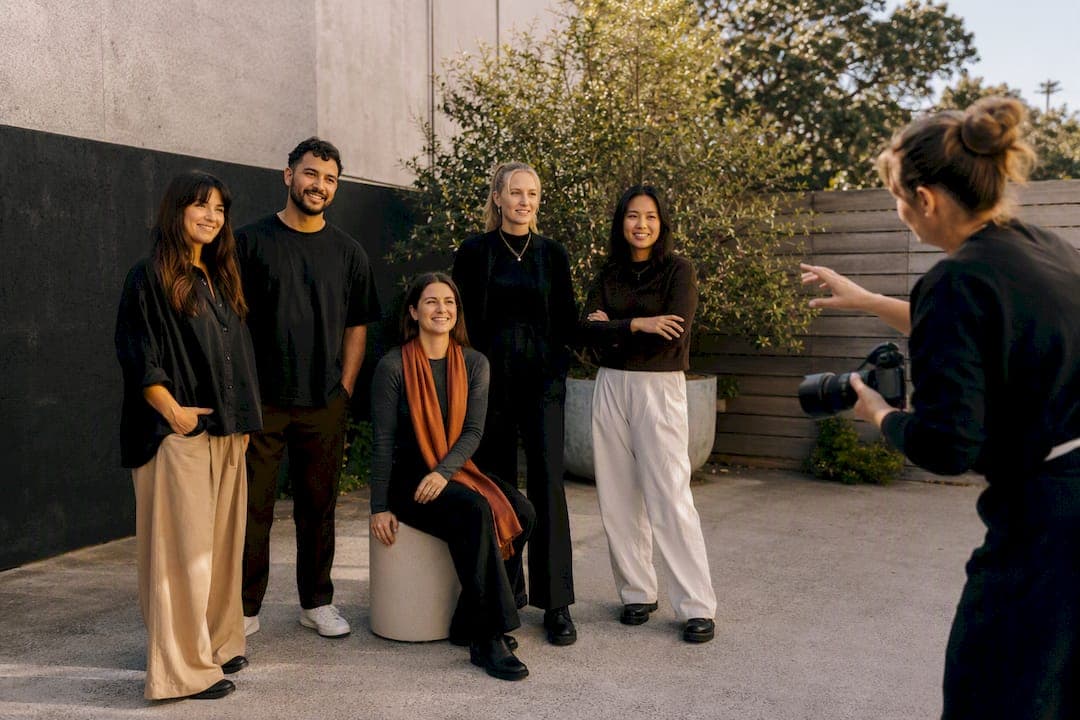
Use authentic photos of yourself and your team as the backbone of your About page, and bring in licensed stock only when a genuine gap remains. Real faces build trust faster than any polished stock shot, which is why they convert better. Start today: pick one warm hero headshot and one candid working shot, and build outward from there.
TL;DR:
- Using real team photos consistently builds more trust and increases engagement compared to stock images, especially for small businesses.
- Small teams can often use smartphone photos, but professional photography ensures cohesive, high-quality images that better support sales.
- For optimal impact, include a warm hero headshot, team images, candid work shots, and relevant workspace photos on your About page.
- Ensuring all photos match in lighting, exposure, and crop creates a polished, professional appearance without needing extensive editing.
Table of Contents
- Where to get website about page photos
- Which photos does your About page actually need?
- How do you keep your About page photos consistent?
- What image formats and sizes work best for About pages?
- Can you take good About page photos with just your phone?
- When DIY photos aren't enough
- A straightforward professional option for your About page
- Sources
- FAQ
Where to get website about page photos
Sourcing photos comes down to three realistic paths, and the right one depends on your budget, your industry, and how often your team changes.
Smartphone DIY works well for solo operators and small teams who need something decent fast. Modern phone cameras handle natural light nicely, and a well-composed candid shot of you working often reads as more trustworthy than a stiff studio portrait, according to guidance on writing an About page that books clients.
Stock photography has its place, but use it carefully:
- Free stock (Unsplash, Pexels) suits background or context images, never the hero headshot of "you."
- Paid stock libraries (Storyblocks and similar) offer more variety but still risk looking generic if a visitor recognises the same model from another business.
- Supplier or partner photos can fill product or workspace gaps, but always confirm you have rights to publish them, and disclose when an image isn't of your actual team.
Hiring a local professional gives you a cohesive set in one sitting, typically including editing and usage rights for web and social. Decide using this quick checklist:
- Budget: can you justify one paid session versus ongoing stock subscriptions?
- Audience: does your industry (finance, health, trades) demand extra credibility that only real portraits provide?
- Update frequency: will your team change enough in the next year to need a reshoot?
Which photos does your About page actually need?
Four image types do the heavy lifting on a well-built About page, and each earns its place for a different reason.
- Hero headshot. Warm expression, genuine eye contact, and a crop that shows head and shoulders rather than a full body. Place it at the top, above the fold, where it's the first thing a visitor sees.
- Team photos. For small teams, a photo plus a one-sentence description of each key person outperforms a generic group shot or stock imagery, based on findings from Evoke Studio's guide to trust-building About pages. Keep it to the people clients will actually deal with.
- Candid or action shots. A photo of you mid-task (shooting, consulting, building) does more for perceived experience than a posed portrait, because it shows the work rather than just the person.
- Context images. Your workspace, tools, or studio can add texture, but only if the photo is sharp and relevant. A cluttered or dim workspace shot does more harm than good.
Visitors scan for faces first, and real team photos increase engagement and often lift conversion compared with stock, according to research on real faces on About pages. On mobile, stack these images vertically with the hero headshot first, team second, and candid or context shots further down, since most visitors scroll before they read.
How do you keep your About page photos consistent?
A set of photos that don't match in lighting or tone looks amateurish, even if each individual shot is decent. Consistency is what makes a page feel professionally put together.
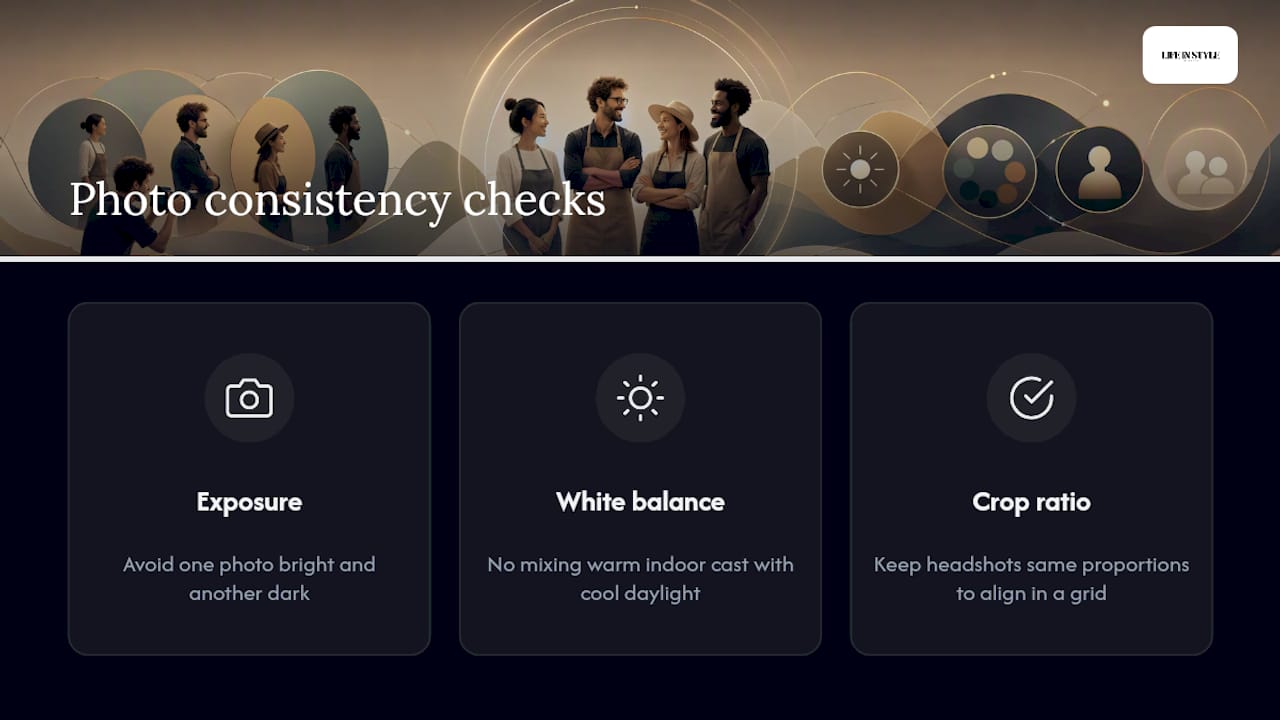
Match these three things across every image: exposure (avoid one photo bright and another dark), white balance (no mixing a warm indoor cast with cool daylight), and crop ratio (keep headshots the same proportions so they align in a grid). Before you publish, place every candidate image side by side on one screen. Anything that jumps out as too warm, too dark, or oddly cropped needs fixing or replacing.
If you've hired a photographer, ask for a light, consistent edit style across the full set rather than heavy individual retouching. A uniform preset applied evenly does more for cohesion than perfect editing on one photo and a rushed job on the next.
Pro Tip: If you have more than one team member, photograph everyone on the same day, in the same location, under the same light. Matching backgrounds and lighting create an instantly cohesive set, and it's far cheaper than trying to fix mismatched photos later with retouching.
What image formats and sizes work best for About pages?
Getting the technical side right is what stops your carefully chosen photos from slowing your page down or looking wrong on someone's phone.
- Format: export in WebP with a JPEG fallback for older browsers. WebP delivers similar quality at a noticeably smaller file size.
- Dimensions: aim for roughly 1,200 to 1,600 pixels wide for hero images, and 400 to 600 pixels for thumbnails. Keep faces centred within the safe crop zone so mobile cropping doesn't cut off a head.
- File size: target under 200KB per image after compression where possible, since heavier images slow load times and hurt mobile experience.
- Responsive images: use
srcsetso the browser serves a smaller file to phones and a larger one to desktops, keeping faces centred at every breakpoint. - Alt text: describe the image plainly for accessibility and search engines, for example: "Founder smiling at camera in a bright studio, wearing a navy blazer."
Using modern formats and responsive techniques like these keeps pages fast without sacrificing image quality, a balance worth getting right since most About-page traffic now arrives on a phone screen rather than a desktop.
Can you take good About page photos with just your phone?
Yes, and often the slightly imperfect, candid phone photo beats an overly staged studio shot for approachability. A few habits make the difference between amateur and professional-looking results.
- Framing: shoot at eye level, keep the crop tight (head and shoulders), and choose a simple, uncluttered background.
- Light: stand facing a window during daytime rather than under harsh overhead lighting or direct sun, which creates unflattering shadows.
- Posing: ask for a natural half-smile, or capture a genuine laugh mid-conversation rather than a forced grin on command.
- Editing: a quick pass through a free phone editing app to adjust brightness and crop is usually all you need before exporting at full resolution.
Pro Tip: Block out one hour, bring a plain shirt in a colour that isn't white or black, and shoot near a window between mid-morning and early afternoon when daylight is most even. You'll get through headshots, candids, and a couple of workspace shots in that single hour.
When DIY photos aren't enough
My honest read is that most small operators can get away with smartphone photos for a while, and there's no shame in starting there. But the calculation changes the moment your About page becomes a genuine sales tool rather than a placeholder. That's when a proper session pays for itself: cohesive lighting, a hero headshot that actually looks like you on a good day, and a team set shot in an hour instead of stitched together from five different phones. Life in Style Photography's personal branding portfolio shows what that upgrade looks like in practice.
— Rowan Freeman
A straightforward professional option for your About page
A local professional photographer can be an accessible alternative to a full agency shoot for anyone wanting a cohesive About-page image set without the guesswork of DIY trial and error. Professional photographers often specialise in headshots, personal branding, and team photography, using a relaxed, engaging on-set style that helps even camera-shy clients look natural rather than stiff.
A typical session delivers exactly what this article recommends: a warm hero headshot, a cohesive team set shot under matching light, candid working shots, and edited files ready for web use with usage rights covering your website and social media. That's the full kit, sorted in one sitting instead of pieced together over months. If your current About page still runs on smartphone photos or outdated stock, browse the headshot photography services page or get in touch for a quote tailored to your team size and timeline.
Sources
For more on writing the words that pair with your photos, see this guide on what to put on your photography About page. For creative teams weighing DIY against outsourcing image production more broadly, AmmarAI's guide for agencies covers the wider workflow trade-offs.
- How to Write a Photographer About Page That Books Clients
- How to Write an About Page That Builds Trust and Converts (2027) | Evoke Studio
- The case for real faces on your about page
FAQ
Should I use stock photos on my About page?
Only sparingly, for backgrounds or context images. Real photos of you and your team consistently outperform stock for trust and conversion.
How many photos should an About page have?
Most small businesses need a few key photos: a hero headshot, team photos, and candid or workspace shots.
What file format is best for About page images?
WebP with a JPEG fallback gives the best balance of image quality and page speed for most websites.
How often should I update my About page photos?
Update whenever your team or offering changes meaningfully; minor swaps can happen more often as needed.
Is it worth hiring a photographer for About page photos?
It's worth it once your About page is doing real sales work, since a professional session like those from Life in Style Photography delivers a cohesive set in one sitting rather than months of mismatched phone shots.