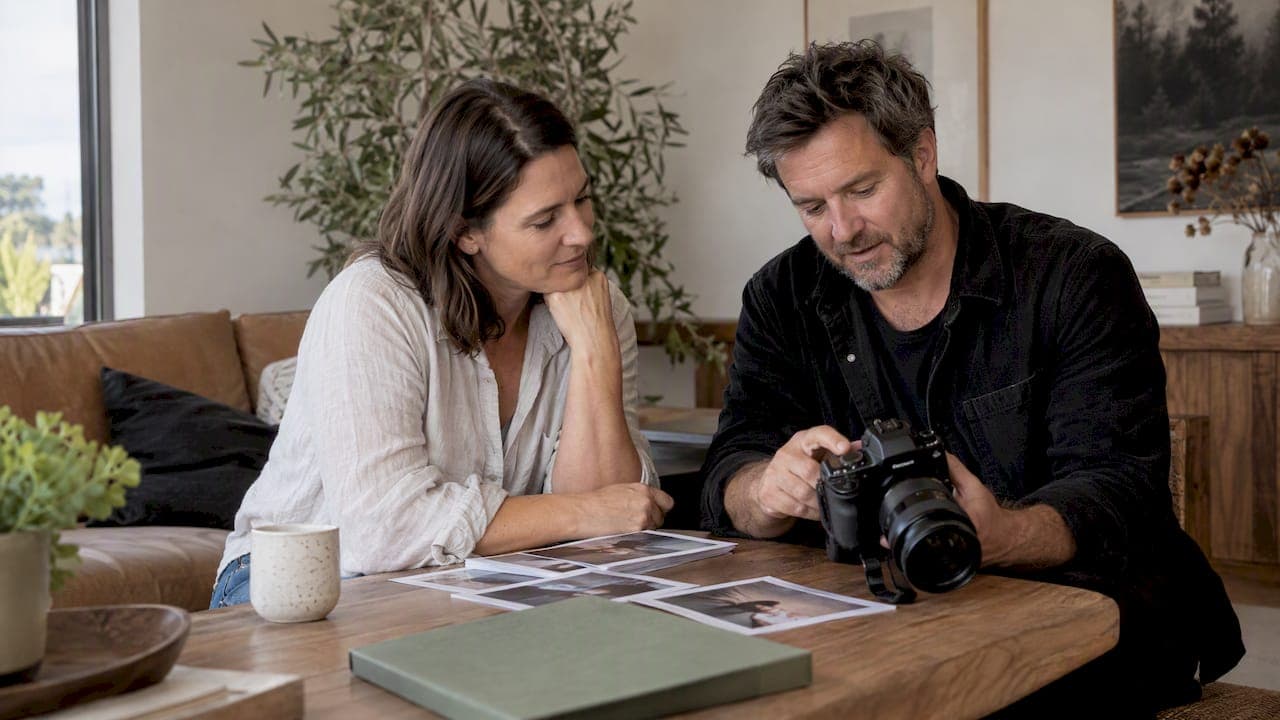
Press kit photos are the hi-res, media-ready images you supply to journalists and editors for editorial use, not social posts or website banners. A practical usable set includes several images covering a portrait, an environmental shot, an action or process image, a landscape-oriented context shot and a vertical crop, each with a caption, photographer credit and hi-res download link. The rest of this guide covers specs, packaging and the licence checks that matter if you're working within New Zealand.
TL;DR:
- To maximize journalistic use, press kit photos should include a variety of shots such as portraits, environmental images, and action shots, all with clear captions and credits.
- Files must be carefully named, sized appropriately for print or digital use, and embedded with metadata to ensure correct attribution and licensing.
- Producing high-resolution images for print and web, alongside a simple PDF and organized folder, simplifies the delivery process and increases the likelihood of usage.
- Legal clearance requires signed model and property releases stored with images, especially when recognizable individuals or protected property are involved.
- Descriptive alt text for each image improves accessibility and SEO, especially when paired with accurate IPTC captions and photographer credits.
Table of Contents
- What press kit photos are and why journalists use them
- Press-kit photo checklist: the practical set to prepare
- Technical specs and file-format best practice for press-ready images
- How to package and deliver press kit photos (EPK workflow)
- Copyright, model and property releases: what to check in New Zealand
- Examples and inspiration: how professionals build press-ready sets
- Writing alt text for press kit photos: accessibility and SEO
- Author perspective: how I approach press-kit shoots
- How Life in Style Photography can deliver press-kit-ready imagery
- FAQ
- Sources
What press kit photos are and why journalists use them
Press kit photos differ from marketing or social media images in one key way: they're built for someone else's editorial use, not your own feed. A journalist needs an image that slots into a layout, carries a caption, and survives cropping without losing its subject. Marketing photos are polished and on-brand; press photos need to be flexible, accurate and clearly licensed for reuse.
Editors typically pull from a press kit for a few recurring jobs:
- A hero image to anchor a feature article or news story
- A portrait for bylines, author boxes or "about the founder" sidebars
- An action or process shot that illustrates what the story is actually about
- A landscape or wide shot for banners and social previews
What matters most to a journalist isn't artistic flair. It's whether the subject is instantly recognisable, whether the image still works after a tight crop, and whether the credit and usage terms are obvious enough that nobody has to email and ask.
Press-kit photo checklist: the practical set to prepare
A practical checklist, modelled on the approach used by New Zealand Story's photography guidelines, gives you a shot list that covers almost every editorial use case without overcomplicating the shoot.
- Portrait, close crop, neutral background, eye contact with the camera for bylines and author boxes.
- Environmental portrait, subject in their workspace, studio or venue, showing context without clutter.
- Action or process shot, subject doing the work: performing, building, presenting or serving.
- Landscape context shot, wider frame suited to banners, story headers and social previews.
- Vertical crop, a version of one of the above reframed for mobile layouts and narrow columns.
Beside each file, include caption fields: subject name, role or title, location, photographer credit and any usage restrictions. Artists might swap the process shot for a live performance still; business leaders often want one extra portrait variation (formal and casual); product launches usually need a clean product-only frame alongside the people shots.
Pro Tip: Name files descriptively before you send them, such as "janesmith_portrait_credit-photographername.jpg", so editors never have to guess what they're opening.
Technical specs and file-format best practice for press-ready images
Print and web have different needs, and supplying both from the start saves a round of follow-up emails. For print, aim for at least 300 ppi at the final print size; for digital use, supply files large enough to be cropped without pixelation, typically 2,000 pixels or more on the longest edge.
- Use sRGB colour profile for anything destined for web or email.
- Supply TIFF or high-quality JPG for editorial print requests, since these preserve detail better than compressed web formats.
- Keep a master high-resolution file for every image, even if you also send a smaller web-friendly version.
- Embed IPTC metadata (photographer name, copyright line, caption) directly into the file so the credit travels with the image even if it's separated from your email.
NZ Music's PR guidance notes that electronic press kits commonly include hi-resolution promotional photos with photographer credits and straightforward download links, because journalists are more likely to use an image that arrives ready to publish than one that needs chasing up for a bigger version.
Filename conventions matter more than people expect: a clear, descriptive filename imports cleanly into newsroom content management systems, while a generic "IMG_4821.jpg" often gets renamed, mislabelled or skipped entirely.
How to package and deliver press kit photos (EPK workflow)
An electronic press kit doesn't need to be elaborate. NZ Music's PR tips describe the format most journalists expect: a short PDF summary paired with a clearly labelled folder of hi-res files.
- Build a one- to two-page PDF with a short bio, a lead photo and contact details.
- Create a labelled folder (Google Drive or Dropbox works well) containing every hi-res image, named clearly and grouped by subject.
- Feature one standout "hero" image at the top of the folder so editors don't have to dig for the best option.
- Write a short email: a clear subject line, one sentence on why you're reaching out, a link to the folder, and your direct contact details.
- Test every link yourself before sending, confirm download permissions are set to "anyone with the link" rather than "request access", and open each file once to check it hasn't corrupted on upload.
Journalists juggle dozens of pitches a day, so the easier you make downloading, the more likely your images get used at all.
Copyright, model and property releases: what to check in New Zealand
Copyright in a photograph normally belongs to the photographer, not the subject, unless there's a written agreement transferring it. That's separate from usage permission: even if you own the copyright, publishing an identifiable person's image or a protected piece of property without consent can still create legal exposure.
- Store signed model and property releases alongside each image file, not in a separate, easy-to-lose folder.
- Attach licence notes and photographer credit directly into the image's metadata, not just in an email body.
- Check third-party licences carefully before using stock or "free" images in a public press kit.
New Zealand Government guidance on image licensing makes a point worth repeating directly:
Creative Commons or CC0 labelling does not automatically resolve clearance needs for identifiable people or protected property; releases and licences should be treated separately.
That means a photo tagged "free to use" on a stock site can still carry risk if it shows a recognisable person or a protected building and nobody confirmed the uploader held a release. DigitalNZ's copyright status flowchart for photographs is a useful tool for working through ambiguous cases, and keeping a simple usage log, recording where each image was supplied and under what terms, makes future enquiries far easier to answer.
Examples and inspiration: how professionals build press-ready sets
A few quick examples show how the checklist plays out in practice:
- Musician: performance still, close portrait, candid backstage shot. Filenames: "artistname_live_credit-photographer.jpg".
- Small business founder: desk portrait, environmental shot in-store, hands-on process image. Filenames: "foundername_workspace_credit-photographer.jpg".
- Product launch: clean product shot, founder holding the product, lifestyle context shot.
At Life in Style Photography, we plan each press-kit session around the story a client needs to tell, scouting locations that read as "environmental" rather than generic, and using a relaxed, engaging on-set style that helps camera-shy founders and performers look natural rather than posed. Deliverables typically include the hi-res master files, a short caption sheet and photographer credit details ready to drop straight into a press kit.
Pro Tip: Hand your photographer a one-page brief listing the five shot types, your preferred filenames and any release forms needed. It saves time on the day and avoids missed shots.
Writing alt text for press kit photos: accessibility and SEO
Every image in a press kit should carry a short, descriptive alt text entry, both for accessibility and for how search engines and newsroom systems index the file. Alt text is read aloud by screen readers, so a blind or low-vision reader relying on assistive technology depends on it to understand what the image shows.
A useful alt text describes the subject, the action and the context in plain language: "Jane Smith, founder of [business name], presenting at a product launch in Auckland" tells a reader far more than "photo1.jpg" or a vague "person speaking". Avoid stuffing keywords into alt text; write it as you'd describe the photo to someone on the phone.
For press kits specifically, pair alt text with the IPTC caption field rather than relying on one or the other. Many content management systems pull alt text automatically from IPTC data if it's present, which means filling it in once at the file stage saves rewriting it every time an editor republishes the image. Keep alt text under roughly 125 characters where possible, since some screen readers truncate longer strings, and always include the photographer credit in the adjacent caption text rather than cramming it into the alt field itself.

Author perspective: how I approach press-kit shoots
On a tight budget, I'd rather nail one strong portrait and one environmental shot than spread effort thin across five mediocre frames. Keep release forms attached to the files from day one, never as an afterthought. A professional is worth hiring when the story matters and camera-shy subjects need steady direction; stock or DIY shots are fine for a quick, low-stakes update.
— Rowan Freeman
How Life in Style Photography can deliver press-kit-ready imagery
If you'd rather hand the whole shot list to a professional, we build press-kit sets around a planning and comfort-focused approach, guiding camera-shy clients through poses rather than leaving them to guess, and delivering hi-res files with clear credit notes ready for your folder.
- Personal Branding sessions for founders who need a portrait and an environmental shot: Personal Branding Services
- Sessions for a clean, press-ready portrait alone: Headshot Photography Services
- Event photography for action shots at a launch or public appearance: Photography Services
Browse our portfolio for examples of the kind of imagery we produce, or get in touch to discuss a package that fits your press kit.
FAQ
What should a press kit include?
A press kit should include a short bio, a press release or summary, contact details and a set of hi-res photos covering a portrait, environmental shot, action shot, landscape shot and vertical crop. Each photo needs a caption, photographer credit and clear usage notes.
What does an artist press kit look like?
An artist press kit, often called an EPK, typically combines a one- to two-page PDF summary with a labelled folder of hi-res promo photos, as outlined in NZ Music's PR tips. It usually also includes a bio, recent press coverage and download links for large files.
What is the difference between a media kit and a press kit?
The terms are largely interchangeable in practice, though "media kit" sometimes leans toward advertising rate cards and audience data for brands, while "press kit" focuses on editorial materials for journalists. Both should include hi-res images, a bio and contact details.
Can you give me an example of a press kit?
A simple example is a one-page PDF with a bio and lead photo, linked to a folder containing a portrait, an environmental shot, an action shot, a landscape shot and a vertical crop, each captioned with photographer credit. Templates and layout inspiration are available through resources like Influenna's media kit examples.
Do I need a model release for press kit photos?
Yes, if the image shows an identifiable person, you generally need a signed model release even if you hold the copyright. New Zealand Government guidance notes that a Creative Commons or CC0 label does not replace the need for that release.
Sources
- NZ Music — PR tips
- DigitalNZ — Copyright status flowchart for photographs
- Data
- New Zealand Story Toolkit — Photography guidelines